17. Prototype: Show Error State on Empty Form Submit
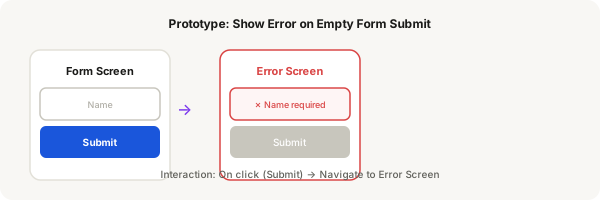
When a user taps Submit on an empty form, the inputs should switch to Error state. You'll prototype this by connecting two screens: the default form and the error state form.
Step-by-step
- Create a form screen with 2 input fields (both set to Empty variant) and a Submit button
- Duplicate the screen (select it, press Ctrl + D)
- On the duplicate, set both inputs to the Error variant and disable/grey out the Submit button
- Switch to Prototype mode
- Select the Submit button on screen 1, add interaction: On click → Navigate to screen 2
- Set the transition to Instant or Smart Animate with 200ms
- Set screen 1 as the Starting frame
- Press Present and tap Submit — the form switches to show error states
Pro tip
This is a simplified prototype. In a real flow, you'd add more screens showing partial filling, individual field validation, and successful submission. Start simple and build up.